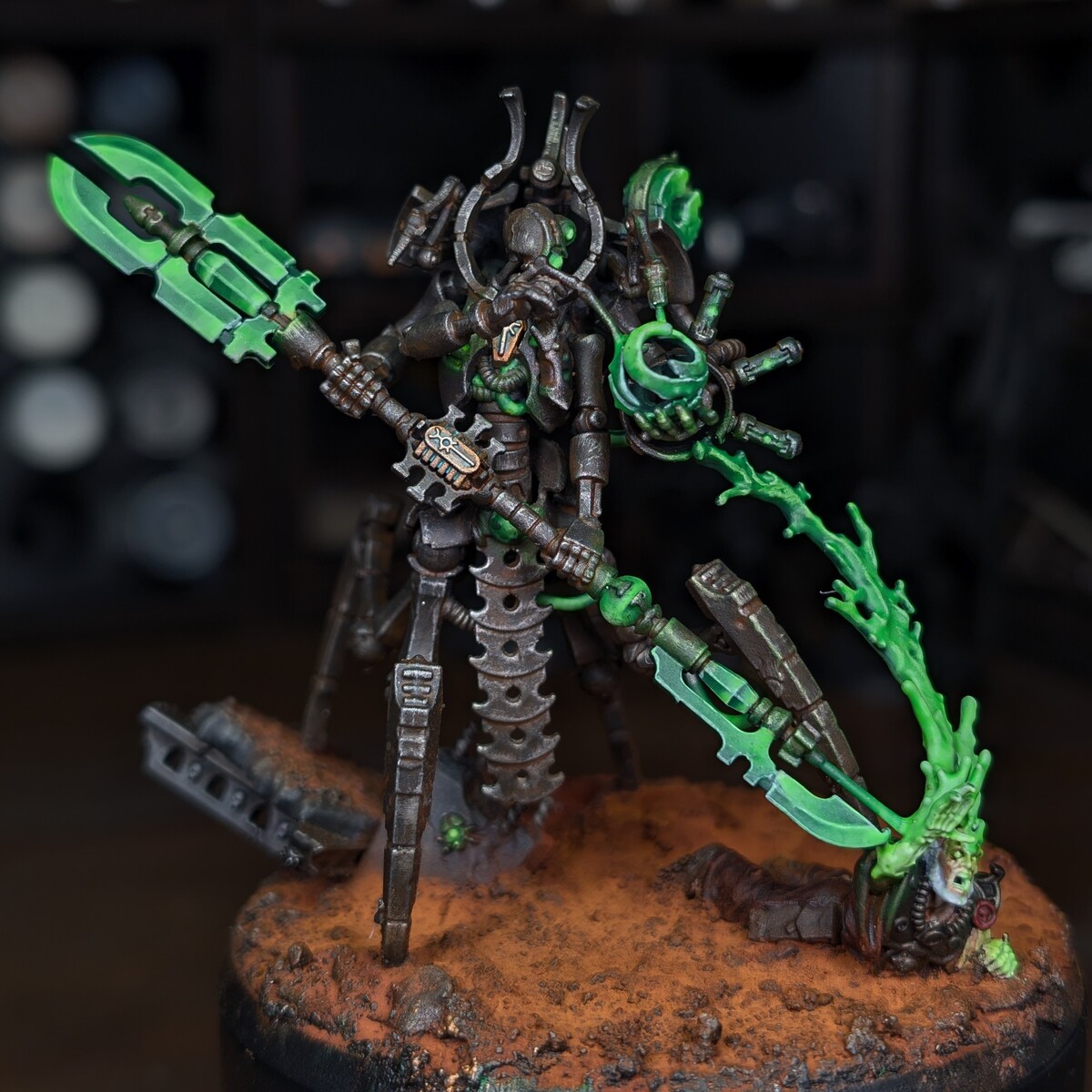
How to paint Sautekh dynasty Necrons that look like ancient and menacing fallen royalty.
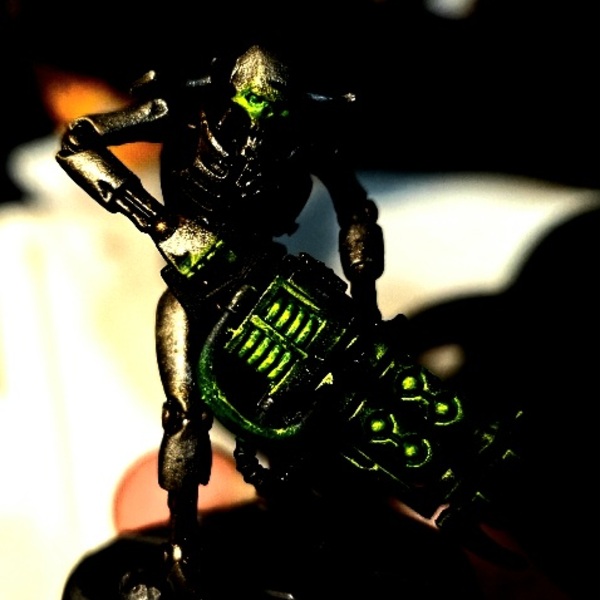 OPTIONAL: Establish a light profile. This is where you choose parts of the model to give artificial lighting and make a bit brighter than the rest of the model. Put your model under a lamp at whatever angle you think looks best and see where most of the light hits. When you paint, take some extra care to drybrush the brighter metallics a bit more intensely in these areas, and don't let wash pool up at all here. In the example picture, I turned the contrast way up, and you can see that most of the light falls on the right side of the face + right hand/forearm + right side of the leg as well as a little less intensely on the upper right torso + the inner left arm. You can also apply this same method for OSL by painting brighter layers on the surfaces close to glowing objects, i.e a necron warrior's left hand or the left side of an overlord's face.
- Prime black.
- Basecoat with Iron Warriors .
- Apply Warplock Bronze to the joints and inner skeletal parts. I prefer to thin this down quite a bit and let it "stain" the joints rather than fully coat them.
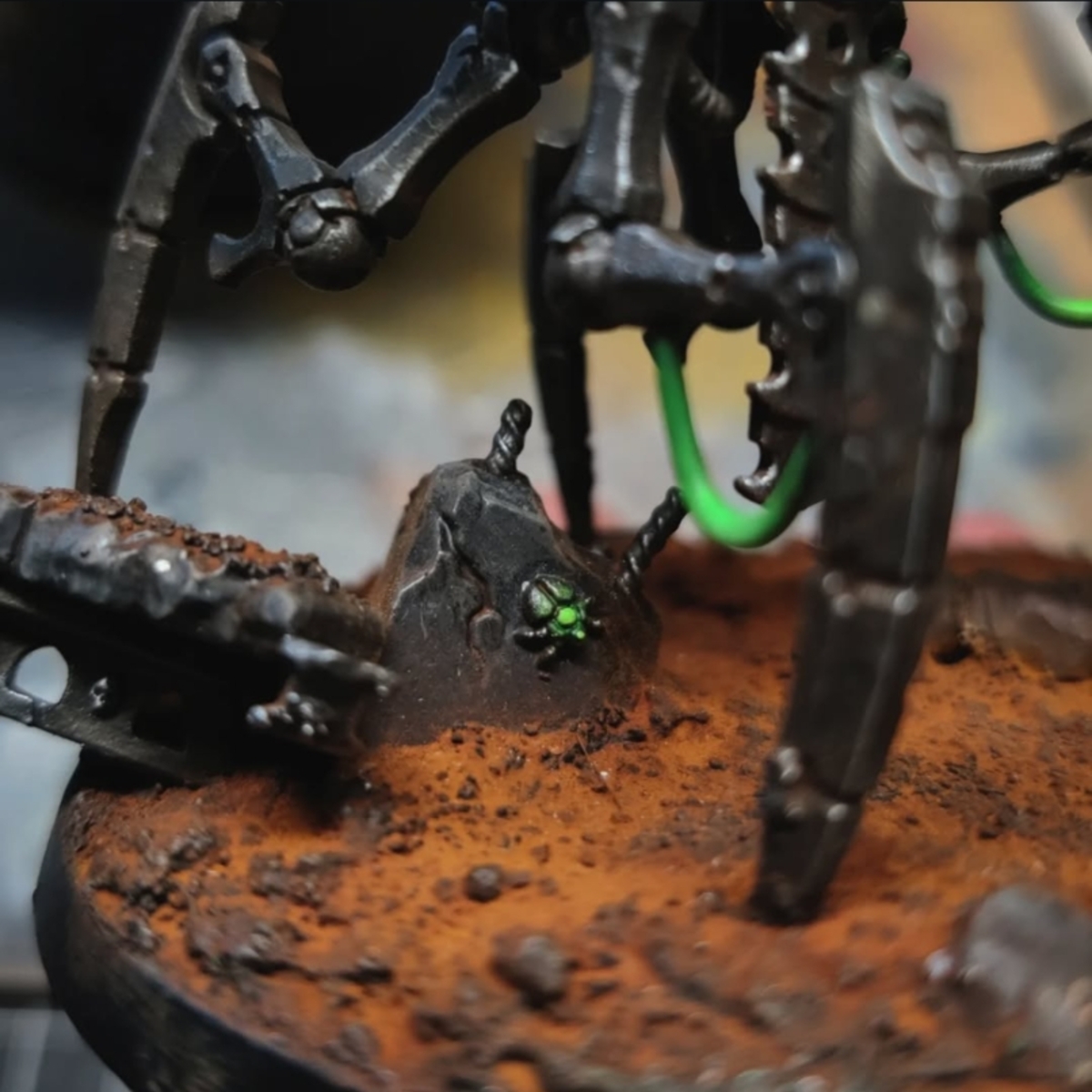
- Dab patches of Typhus Corrosion into the joints. Follow this up with light dabs of Hashut Copper on the same areas using a drybrush or q tip. Then apply Rust . It doesn't need much so take most of it off of your brush before applying.
- Apply Runelord Brass to the regal elements/staff bits/cloaks/shields.
- Hit the model with a focused wash of Agrax Earthshade thinned about 50/50. Put it in the joints and drag it out onto the armor plating. Some staining is ok and even recommended. Try to get the wash to pool on the lower/inner parts of the model. You can optionally try using Reikland Fleshshade on the runelord parts.
- Using Leadbelcher , lightly drybrush the armor plating across the model. Stipple out some of the pooling, but make sure there's still some discoloration from the agrax showing. You can also drybrush Runelord Brass back over the runelord painted areas.
- Hit the entire model with an even wash of Nuln Oil .
- Using Canoptek Alloy , lightly drybrush the high/bright/focused parts of the model.
- Paint the weapons and cables with Abaddon Black .
- Glaze Caliban Green over the cables.
- Glaze Warpstone Glow over the cables, aiming to create a gradient that is brightest towards the center of the cable and dark towards the ends.
- Edge highlight the armor with Stormhost Silver , the joints with Warplock Bronze , the regal elements with Canoptek Alloy , and the gun/black parts with Eshin Grey .
- For anything you want to glow: Base in white. Coat with Warp Lightning , mostly caring about getting it into the recesses. Drybrush the object with white again, and catch the nearest edges and surfaces to the object as well. Then take a very small drybrush or q tip and lightly feather Ulthuan Grey onto some of the surrounding surfaces and edges. Take some Tesseract Glow . On the white parts, apply this straight out of the pot and spread it around evenly. On the grey parts, take most of it off your brush and glaze it over, as these areas only need a subtle green tinge. For the blades specifically, I like to divide the sharp and blunt edge, keeping the blunt edge black and painting the sharp edge white, then using warp lighting and getting it in all the grooves, including the ones on the black side. Then a white drybrush, then a subtle grey drybrush between the black and white halves to create a gradient, then a tesseract glow wash on the white half then a glaze on the grey. Finish with a wraithbone edge highlight.
Citadel Painting System 18
Base 6
- Abaddon Black
- Caliban Green
- Iron Warriors
- Leadbelcher
- Runelord Brass
- Warplock Bronze
Shade 3
- Agrax Earthshade
- Nuln Oil
- Reikland Fleshshade
Layer 6
- Canoptek Alloy
- Eshin Grey
- Hashut Copper
- Stormhost Silver
- Ulthuan Grey
- Warpstone Glow
Technical 2
- Tesseract Glow
- Typhus Corrosion
Contrast 1
- Warp Lightning
Vallejo Game Color
Special effect 1
- 72.131 Rust
.png)